
Chapter 5 · 5.3
Sending from a different address
Do you have several email addresses, such as info@ and sales@? You may want to send from both of them in one webmail. To do this, create an extra identity.
Creating an extra identity
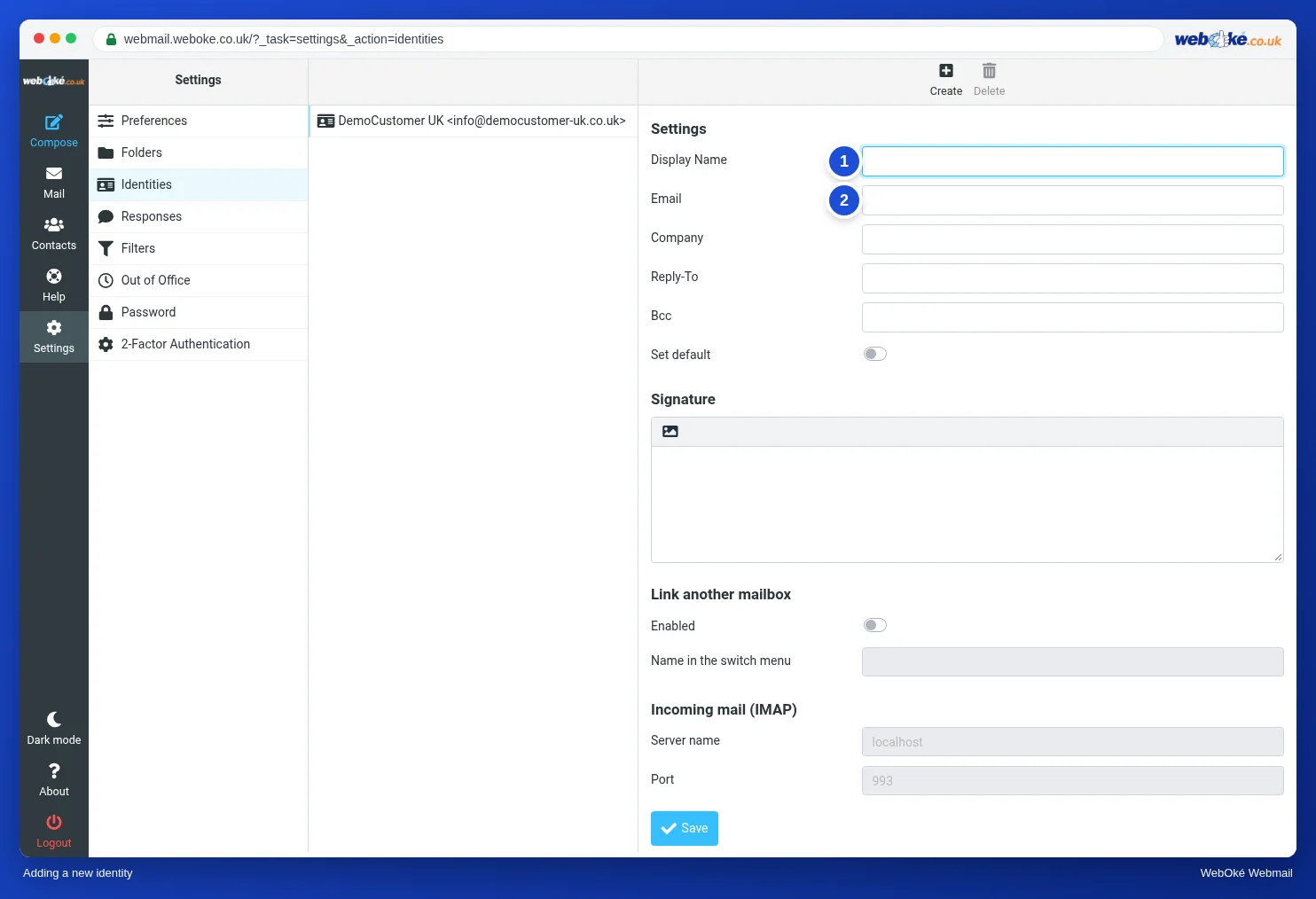
- Go to Settings, Identities and click Create at the top.
- Enter the Display Name (1) and the other Email address (2).
- Add a separate signature if you like.
- Click Save.
When you write a message, you can now choose which address to send from under From.
Are you allowed to send from that address?
Our mail servers check which address you send from. This stops anyone else from sending email in your name. If you are logged in as info@yourdomain.nl, you can send from:
- the address you are logged in with;
- an address that forwards to your mailbox (a forwarder) on the same server.
Want to send from sales@yourdomain.nl while you are logged in as info@? Then create a forwarder from sales@ to info@ in DirectAdmin. See Forwarders: forwarding mail to another address. Without that forwarder, the server rejects your message with a notice such as Account ... can not send emails from .... See Account ... can not send emails from ... and Sending from multiple aliases, error: Account xxx can not send emails from .
Please note: you cannot send from an address that belongs to another provider, such as a Gmail or Hotmail address, through our servers. That address belongs to the other provider.