
Module 4 · 4.3
Domain status codes
Module 4: WHOIS, RDAP and privacy · Reading time: 8 minutes
Learning objective: After this lesson you can read a domain's status codes in WHOIS and RDAP, explain the difference between client and server codes, and know what to do for each code.
Key concepts: EPP status code, client and server, ok, clientTransferProhibited, clientHold, serverHold, redemptionPeriod, pendingDelete, pendingTransfer, .nl statuses
What a status code is
Every domain has one or more status codes at the registry. In a single word, they tell you what is going on with the name: does it work normally, is it blocked, is it being deleted or is a transfer under way? For .com and the other gTLDs, these are the EPP status codes. EPP is the protocol that registrars and registries use to talk to each other. ICANN publishes a public list explaining what each code means.
In WHOIS you see them written as one word, such as clientTransferProhibited. In RDAP they appear as separate lower-case words, such as "client transfer prohibited". It is the same code.
A domain can have several codes at the same time. An ordinary .com domain often has a few locks set by the registrar and nothing else out of the ordinary.
Client or server: who set it?
Most codes come in two flavours:
- client: the registrar set the code. This is usually your own registrar, at your request or under its own policy. If you want the code removed, ask your registrar, or switch it off yourself in your account.
- server: the registry set the code. Your registrar cannot simply remove it. There is often something going on at registry level: a dispute, a suspension or a registry lock.
This distinction tells you who to go to. If you see a server code you don't expect, first ask your registrar what is going on. They can check with the registry.
The codes you need to know
| Code | Meaning | What should you do? |
|---|---|---|
| ok | Normal, no restrictions | Nothing |
| clientTransferProhibited | Your registrar blocks transfers. A standard protection against hijacking | Only have the lock switched off just before a transfer (lesson 6.3) |
| clientUpdateProhibited, clientDeleteProhibited | Changes or deletion are blocked by the registrar | Usually nothing; extra security |
| serverTransferProhibited | The registry blocks transfers, often during a dispute or a restore | Ask your registrar why |
| clientHold | Your registrar has taken the name out of the DNS, for example because of non-payment or a dispute. Website and email do not work | Contact your registrar straight away |
| serverHold | The registry has taken the name out of the DNS. Website and email do not work | Ask your registrar what is going on, and check your details (lesson 3.3) |
| inactive | There are no name servers; the name does not work | Set up name servers (lesson 3.1) |
| autoRenewPeriod | Just renewed automatically after the expiry date | For information; decide whether you want to keep the name |
| redemptionPeriod | The name has been deleted and can still be restored for 30 days | Request a restore from your registrar quickly, if you want to keep the name |
| pendingDelete | Not restored; the name will be released for good within a few days | It can no longer be restored; if you want it back, you have to register it again once it becomes available |
| pendingTransfer | A transfer to another registrar is under way | Did you request it yourself? If not, call your registrar immediately (lesson 7.1) |
Two codes deserve extra attention.
clientHold and serverHold are the codes you least want to see. The name is still registered to you, but it no longer does anything. Visitors get an error message and email does not arrive. With serverHold, incorrect details may be the cause: EURid, for example, puts a .eu name on "Server Hold" if the registrant does not confirm their details.
redemptionPeriod and pendingDelete are the final stages of an expired or cancelled gTLD name. During the redemption period you can still get the name back. In pendingDelete you can't: after five days it is free for anyone to register. Lesson 5.2 shows the full life cycle per extension.
.nl works differently
The .nl Whois uses SIDN's own statuses:
| Status | Meaning |
|---|---|
| Free | Not registered |
| In application | The registration is being processed |
| Active | Registered and in use |
| Inactive | Registered, but no name servers yet |
| In quarantine | Cancelled; for 40 days only the previous registrant can get it back |
| Withdrawn | Not available for technical reasons |
| Excluded | Cannot be registered (only a few names, such as www.nl) |
In SIDN's RDAP, an ordinary name shows "active". Some names show "locked", for example sidn.nl itself. That points to an extra lock, such as .nl Control (lesson 7.1). You won't see a clientTransferProhibited like the one on .com for .nl. There, your name is mainly protected by the transfer code: without that code nobody can transfer it, and your registrar only gives it to the registrant (lesson 6.3).
Other country extensions may use different words too. You can usually work out the meaning with the help of this lesson. If in doubt, look up the status at the registry.
Status codes as a warning light
Check the status codes of your important domains now and then, for example during your annual check (lesson 7.4). Look out especially for:
- a hold you don't expect: your site and email are down;
- a pendingTransfer you didn't request yourself: someone is trying to transfer your domain;
- a missing clientTransferProhibited on a .com name: your name is less well protected than it could be;
- a redemptionPeriod: your name has expired and you have only a short time left.
In practice: how it works at WebOké
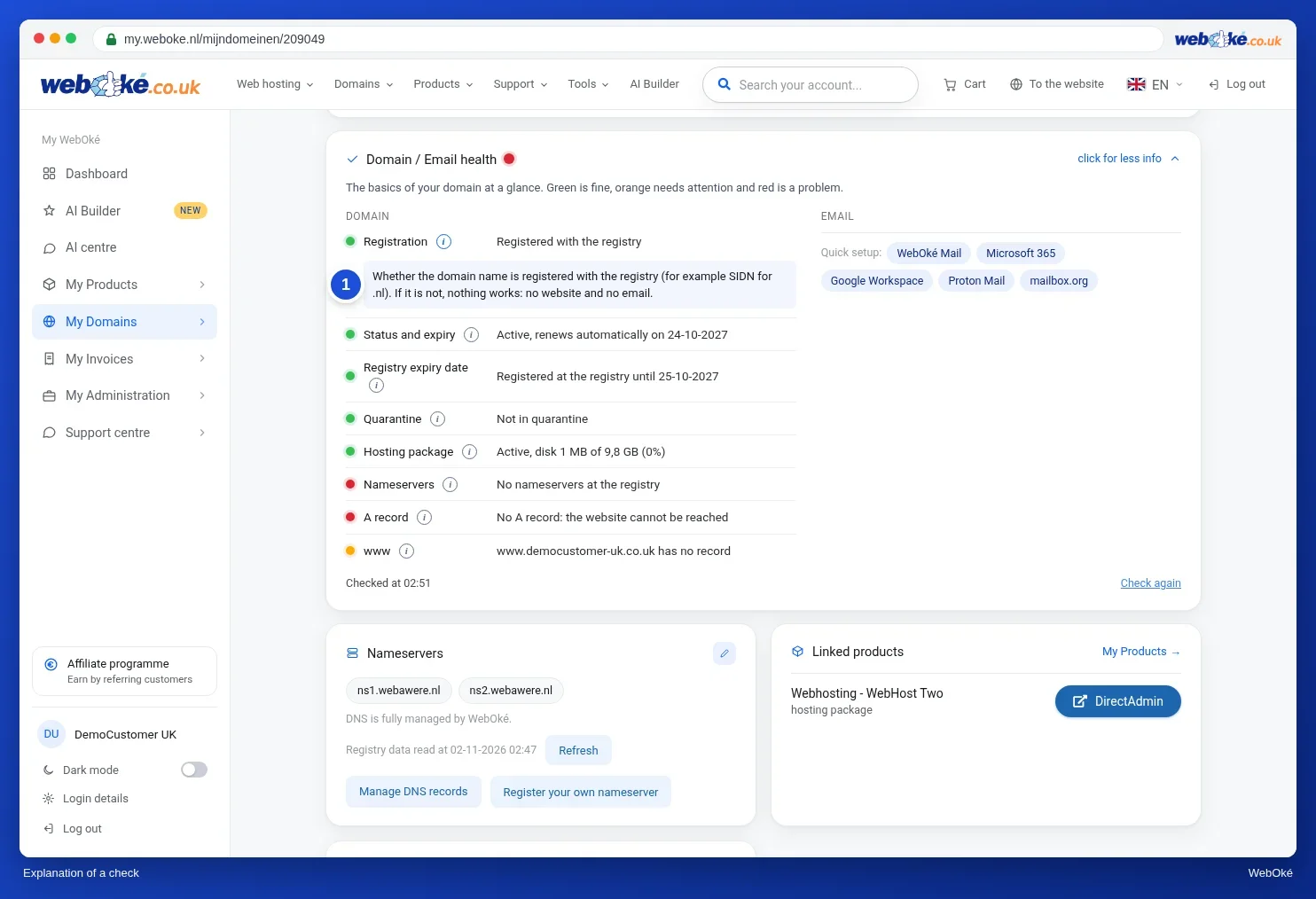
You can see a domain's status codes in the WHOIS lookup (https://www.weboke.nl/en/toondomein). In My WebOké, the Advanced card on the domain page has the Transfer lock switch ("Blocks unauthorised transfers."): this is the transfer lock that shows up in the WHOIS for a .com name as clientTransferProhibited. For .nl, .eu, .be and .nu there is no such switch. The Domain / Email health card warns you if your domain's status is not in order. Other registrars work in a similar way: look for a transfer lock in your domain's settings.
Summary
- Status codes tell you in one word what is going on with a domain; in RDAP they appear as separate words.
- A client code comes from the registrar, a server code from the registry; that tells you who to go to.
- Hold means: the name doesn't work. redemptionPeriod: can still be restored. pendingDelete: can no longer be restored.
- .nl has its own statuses (Active, Inactive, In quarantine) and in RDAP "active" and "locked".
Quiz
Exercise
Exercise A4.3: Explaining status codes (case study). Example Bakery manages a few .com names. In RDAP it sees five different status codes. Match each code to the correct meaning. There are six meanings, so one is left over. The program compares your choices with a fixed answer key. If something is wrong, you get a hint and can try again.
The codes:
- clientTransferProhibited
- clientHold
- serverHold
- redemptionPeriod
- pendingDelete
Choices for each code:
- The registrar blocks transfers as a standard protection
- The registrar has taken the name out of the DNS; website and email do not work
- The registry has taken the name out of the DNS; website and email do not work
- The name has been deleted but can still be restored for about 30 days
- The name becomes free within a few days and can no longer be restored
- A transfer to another registrar is under way
Further reading
- Protecting your domain name: expiration, auth code, transfer lock and forgotten DNS records
- Emails from ICANN or the registry about your domain: real or fake, and what should you do?
- EPP Status Codes (ICANN): https://www.icann.org/resources/pages/epp-status-codes-2014-06-16-en
- Whois explained (SIDN, in Dutch): https://www.sidn.nl/nl-domeinnaam/uitleg-whois
- Domain status codes: what do they mean and what should you do?