
Chapter 3 · 3.2
Transferring your domain via My WebOké
Watch it in a short video
Are your website and email ready at WebOké and do you have the transfer code? Then you can transfer your domain. How you start depends on whether the domain was already in your order.
You chose to transfer later when ordering
- Log in to My WebOké and go to My Domains, tab Transfer centre.
- Your domain is listed under Pending transfers. Enter the code in Transfer/EPP code.
- Click (Re)start transfer.
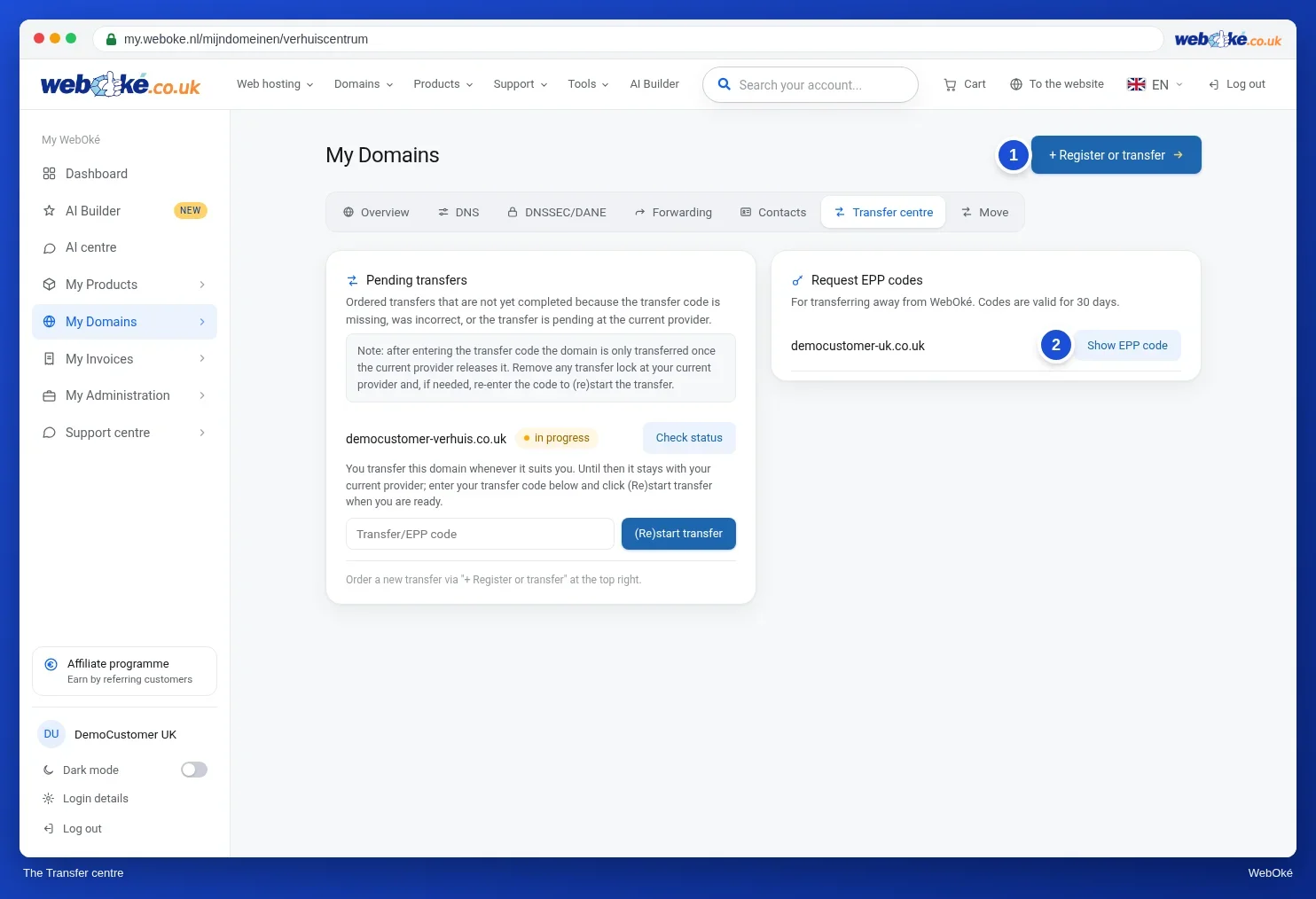
Use Check status to see how far the transfer has progressed at the registry.
The domain is not with WebOké yet
- In My WebOké, go to My Domains and click + Register or transfer at the top right. Or, on the website, go to Domains in the menu and click Transfer a domain.
- Type your domain name and click Check.
- Click Transfer this domain next to your domain, then Continue with order.
- Enter the Transfer code (EPP token) and complete your order.
All the screens are shown in Transferring a domain to WebOké (transfer code or transfer later).
How long does it take?
| Extension | Duration |
|---|---|
| .nl and .be | With a valid code, usually within a few minutes. A .nl domain may still show as a transfer in My Domains for up to an hour afterwards. That is normal. |
| Other extensions, such as .com | 5 to 7 days, because your old provider has to release the domain first. Sometimes you receive an email from your old provider or the registry asking you to confirm the transfer. |
What happens during the transfer?
- Your domain is renewed for one year from the transfer date.
- Your domain gets the nameservers you chose when ordering. By default, these are WebOké's. From that moment on, the DNS records in My WebOké apply. So set up any extra records you had at your old provider before the transfer, see Only switching the nameservers or DNS.
- After the switch, new email arrives at WebOké. Read What happens to your email during the move so you don't miss any email.
The transfer fails
- The code is incorrect or has expired. Request a new code and start the transfer again.
- The domain is locked. Turn off the transfer lock at your old provider.
- The transfer is waiting for confirmation. Check whether you have received an email from your old provider or the registry.
- The domain was registered or changed holder less than 60 days ago. For .com, among others, the registry does not allow the transfer yet.
- The domain is in quarantine, because it has already been cancelled or has expired at your old provider. In that case, please contact us.
More information is available in How do I transfer my domain to WebOké? and The Transfer centre: transferring domains to WebOké.