
My website is not reachable: step-by-step guide
Is your website not working? Go through these steps from top to bottom. Each step shows you how to check whether that's the cause, and where to find the solution.
1. Is there an outage on our end?
Check our status page. If an outage or maintenance is listed there, we're already working on it and you don't need to do anything yourself. See Outages and maintenance: the status page.
2. Is it only not working for you?
Try your site on your phone over 4G or 5G, with wifi turned off. If it works there, our server's firewall may be blocking your network's IP address, for example after too many failed login attempts. In My WebOké, go to Support Center › Am I blocked? and unblock your address yourself. See Am I blocked? Your IP address and our firewall.
3. Does your domain point to the right server?
In My WebOké, open your domain under My Domains and look at the Domain / Email health card, or use the free Domain health tool. You'll immediately see whether the registration, nameservers, A record and certificate are in order. For some problems, there's a button to fix it right away.
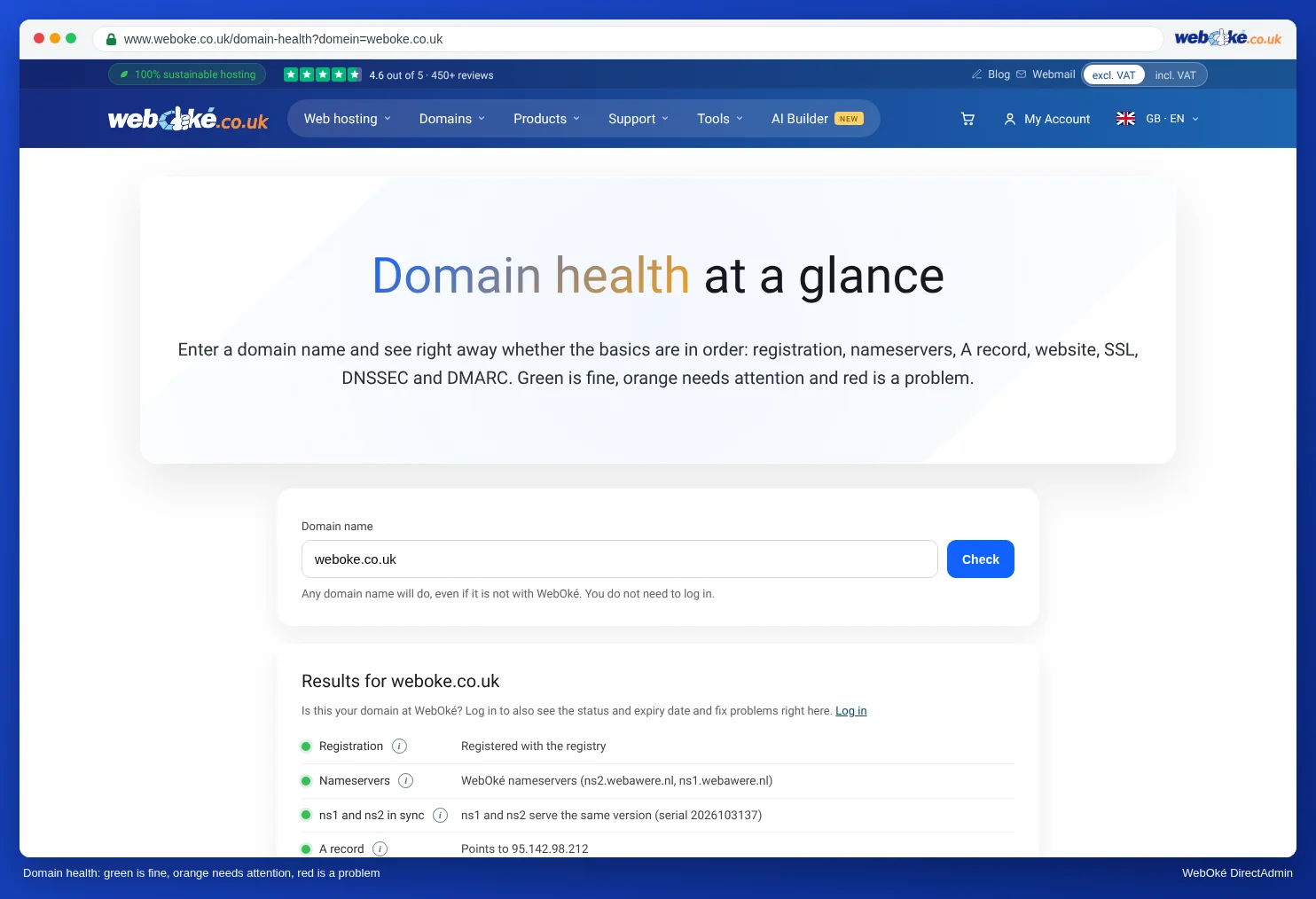
Did you just change something or move your domain? Then read Website or email not working after a migration or DNS change.
4. Do you see the message "temporarily unavailable"?
Then your package has been suspended, usually because of an unpaid invoice. Check My Invoices and pay what's outstanding. Once all your overdue invoices are paid, your package will be reactivated automatically. See Website offline with the message "temporarily unavailable due to maintenance".
5. Are you getting a certificate warning?
Does your browser say the connection isn't secure, or do you see a certificate with a different name? Then your domain doesn't have a valid SSL certificate yet. See Activating an SSL certificate. If your site keeps redirecting in a loop, read Forcing visitors to https.
6. Are you getting an error message or a white screen?
- Error 500 or a white screen: something is going wrong in your website, often in .htaccess or a plugin. See Error 500 or "critical error" on your website.
- Error 503 or Resource Limit Is Reached: your website is using more than your package can handle. See Resource limit reached / 503 / PHP X-Ray.
- A WebOké default page or a blank page after uploading: see My website isn't working after uploading or migrating.
7. Still seeing the old page or a broken page?
Your browser may be remembering an old version. Reload the page with Ctrl+Shift+R (Mac: Cmd+Shift+R) or open your site in a private window.