
Website offline with the message "temporarily unavailable due to maintenance
Does your website show a message saying the domain is temporarily unavailable due to maintenance? Then your hosting package has been suspended, usually because an invoice is still outstanding. In this article you'll read how to check this and how to get your website back online.
What does the message mean?
You'll land on a WebOké page with roughly this text: "The domain yourdomain.nl is temporarily unavailable due to maintenance."
This means your package is inactive (suspended). Your files, databases and mail are kept. The most common reason is an invoice that still hasn't been paid after the due date and a few reminders. You'll receive an email about this when the package is suspended.
Check and pay your outstanding invoice
- Log in to My WebOké. If there's an outstanding invoice, you'll see it right at the top of the dashboard.
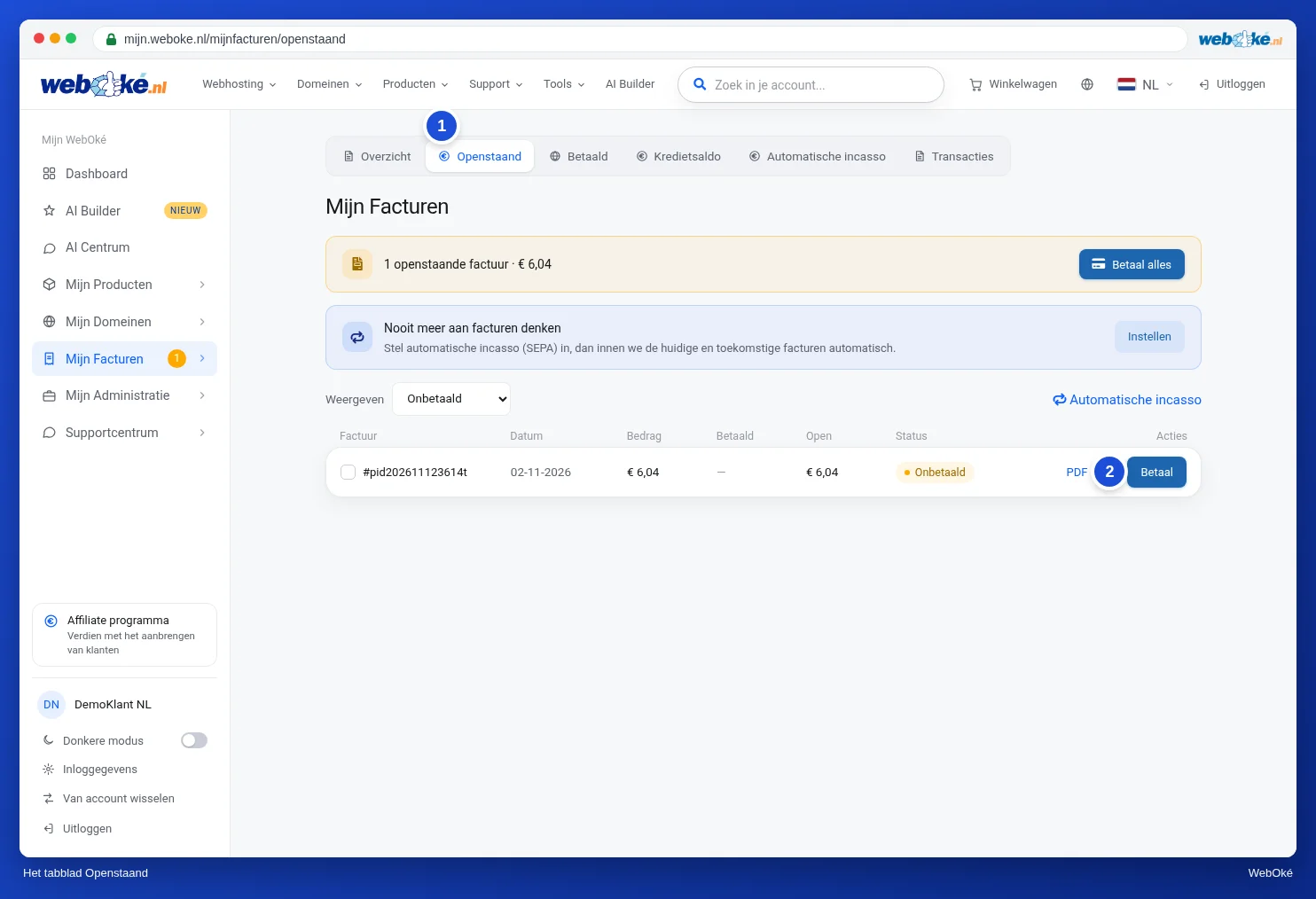
- Go to My Invoices › Outstanding.
- Click Pay next to the invoice. If there are multiple outstanding invoices, use Pay all.
- Choose a payment method and complete the payment.
You can also pay via the payment link or the QR code in the invoice email. See Paying via a payment link or QR code.
How quickly will your website be back online?
- Paid online (for example with iDEAL): as soon as the payment has been processed and there are no other overdue invoices outstanding for this package, we automatically reactivate the package. This happens immediately after your payment is processed. Your website is usually reachable again within a few minutes.
- Bank transfer: the package is reactivated as soon as your money has reached us and has been matched to the invoice. We process a transfer as soon as it's in our account. How quickly that happens depends on your bank: sometimes instantly, sometimes one or two business days. Always include the invoice number in the payment description, so we can match your payment automatically. Want to be back online faster? Then it's best to pay online.
Paid, but your website is still offline?
- Check in My Invoices whether there's another outstanding invoice for this package. As long as there is, the package stays closed.
- Is the invoice marked Pending? Then a direct debit is in progress. In that case, don't pay it again yourself.
- Refresh the page or try a private window. Your browser may still remember the suspension page for a while.
- Is everything paid and the site still offline? Contact us via a ticket. If an invoice has been outstanding for a very long time, the package may already have been terminated. We'll then look together at what's still possible.
Other reasons for a suspension
- Excessive usage or abuse. If your website used so much of the server's resources that it threatened to become unstable, or if spam or malware was found, we may suspend the package. You'll be notified if this happens. This type of suspension isn't lifted automatically after a payment: we lift it once the problem has been resolved.
- You suspended the domain yourself in DirectAdmin. You can also reactivate it yourself. See Suspending a domain or temporarily taking only your website offline.
Detailed explanation with screenshots: Paying an invoice (including several at once) in the WebOké manual.