
Snapshots and backups of your VPS
Your VPS has two safety nets. They look alike, but they serve different purposes.
Snapshot: a quick capture
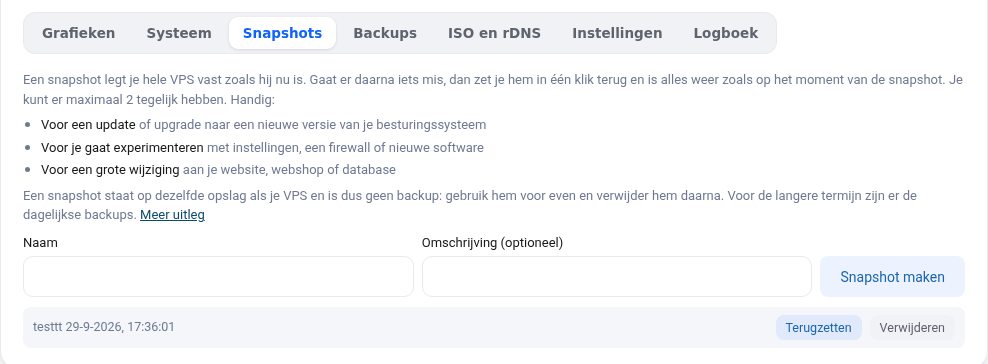
A snapshot captures your entire VPS at a single moment, including what's in memory. Handy right before an update, an upgrade to a new Ubuntu version or an experiment. If something goes wrong, you restore the snapshot and everything is back the way it was.
- You can have up to 2 at a time.
- A snapshot is stored on the same storage as your VPS, so it's not a backup. Delete it once you no longer need it, because it grows along with everything that changes afterwards.
- You create one in the Snapshots tab: enter a name (for example
voor-update) and click Create snapshot.
Backup: a copy in another location
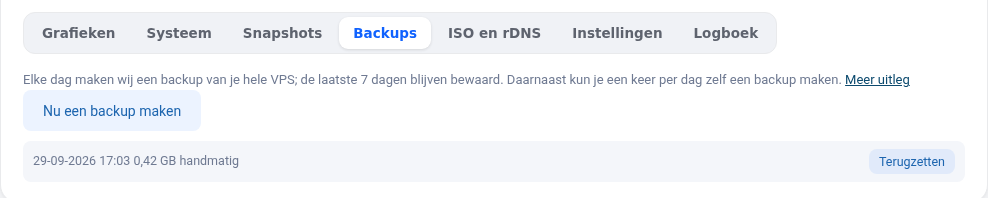
Every day, we automatically make a backup of your entire VPS on a separate storage server. We keep the last 7 days. On top of that, you can make a backup yourself once a day, for example before you do something big.
- The Backups tab shows all backups with their date and size.
- Restore replaces your entire VPS with the backup. Anything that changed after that is lost. That's why we ask for your WebOké password to confirm.
- Restoring usually takes a few minutes; your VPS then starts up again automatically.
What's the difference in short?
- Snapshot: fast, temporary, in the same place. For "in case this update goes wrong".
- Backup: daily, going back 7 days, on a different server. For "I lost something yesterday".
Recovering individual files?
A backup always restores the entire VPS. If you only want a few files back, first make a snapshot of the current state, restore the backup, copy what you need to your own computer and then restore the snapshot. For databases, a daily database dump is also a good idea: a backup of a running database can't always be restored without errors.
Your own backup outside your VPS too
A dump or copy stored on your VPS itself sits on the same disk as your data. If your VPS gets damaged, hacked or accidentally wiped, you lose it. Our daily backups are stored on a different server, but they only go back 7 days and belong to the same account. So keep a copy of your own somewhere else too, outside WebOké, for example with restic, and test every now and then that restoring works. You can read how to do that in Backups with restic to another location and Properly including databases and Docker volumes. Why three copies on two types of storage, one of them offsite? Read Backup strategy: the 3-2-1 rule for your own business.
Want to learn more? Take the free course VPS and Linux server management, lesson 8.1 A backup plan for your server or lesson 8.2 Backups with restic.